The Side-by-Side Breakdown
Here is how the two compare. Microsoft's app here is the newer Sticky Notes that comes with OneNote (open it with Win+Alt+S).
| Feature | Windows Sticky Notes | stickies.lol |
|---|---|---|
| Where notes live on screen | Floating notes, or a panel docked to the side of the desktop | A thin strip at the screen edge that fans out on hover |
| Formatting | Toolbar and Ctrl shortcuts (bold, lists, and so on) | Toolbar-free: Markdown shortcuts and slash commands |
| Slash commands and templates | ❌ No | ✅ /standup, /meeting, /todo, /clean and more |
| Math in notes | ❌ No | ✅ /calc 25 * 4 = 100 |
| Lock a note | ❌ No | ✅ 4-digit PIN, AES-256 encrypted |
| Sync between devices | ✅ With a Microsoft account (Windows, Android, iPhone) | ❌ No, notes stay on your PC |
| Account needed | Only for sync | Never |
| Screenshots in notes | ✅ Yes, with the source app or web page | ✅ Paste or drop images |
| Price | Free | $4.99 once (7-day free trial, 3 PCs) |
When Windows Sticky Notes Is Enough
To be fair to Microsoft, Sticky Notes is a good app, and it might be all you need if:
- You want your notes on your phone too: Sign in with a Microsoft account and your notes sync to OneNote on other PCs, Android and iPhone. Stickies doesn't sync, on purpose.
- You don't want to pay: Sticky Notes is free. Stickies is $4.99 once after a 7-day trial.
- You already live in OneNote: The newer Sticky Notes is part of OneNote, so your quick notes end up next to your other notebooks.
- You only keep a couple of plain notes: For a Wi-Fi password or a phone extension, you don't need slash commands.
When stickies.lol Makes Sense
I built Stickies for people who keep notes open all day while they work, and who want them out of the way until they need them.
Invisible until you reach for it
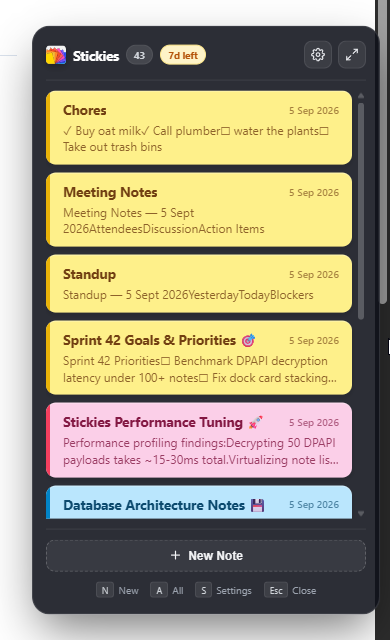
Microsoft's newer Sticky Notes can dock to the side of your desktop, but it docks as a panel. Stickies shrinks to a strip about 12 pixels wide against the edge of your screen. Move the mouse there and your notes fan out. Press Esc and they tuck back in.
1. Everything from the keyboard
In Sticky Notes you format with the toolbar or the usual Ctrl shortcuts. In Stickies you can also type Markdown (#, -, 1., [], >) or a slash command:
- Type / to open the command list.
- Type
/standupto get Yesterday, Today and Blockers headings in one go. - Type
/calc (140 * 12) + 85to do the math right in the note. - Type
/cleanto remove every checked task.
2. Notes That Stay on Your PC
When you sign in, Sticky Notes stores your notes in your Microsoft account so they can sync. On a work account, that means they live under your company's Microsoft 365 rules.
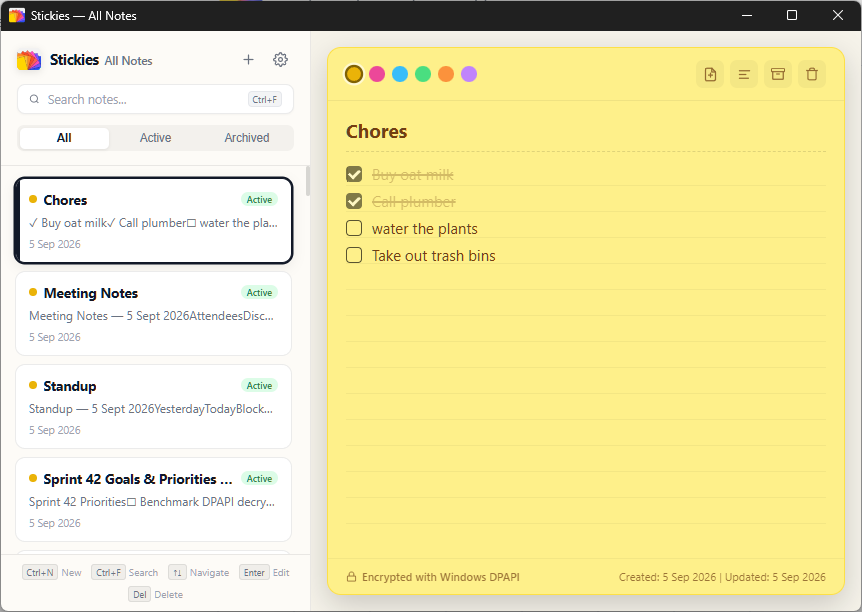
Stickies keeps everything in a database on your PC, encrypted with the Windows Data Protection API (DPAPI), which ties it to your Windows user account. You can also lock single notes with a PIN. Sticky Notes has no way to lock a note. Stickies has no account and no analytics, and only goes online to activate your license and check for updates (you can turn that off).
3. Light on Your PC
Stickies is written in Rust on top of Tauri v2 and uses under 20 MB of RAM while it sits in the dock. It starts with Windows without slowing your boot down.
Upgrade Your Desktop Note-Taking
Try stickies.lol free for 7 days. One-time purchase of $4.99. No subscription, no account, and no cloud.